Finding Ways to Spend Less from Your Spending Patterns
budgeting
saving
category
ReceiptRoller doesn't suggest ways to save, but spending by category in the budget report shows you where to look. Here are some examples of reading the report.
Start with the largest categories
Spending by category lists each category's amount and its share of the total. Working down from the largest share shows where there's most room to cut.
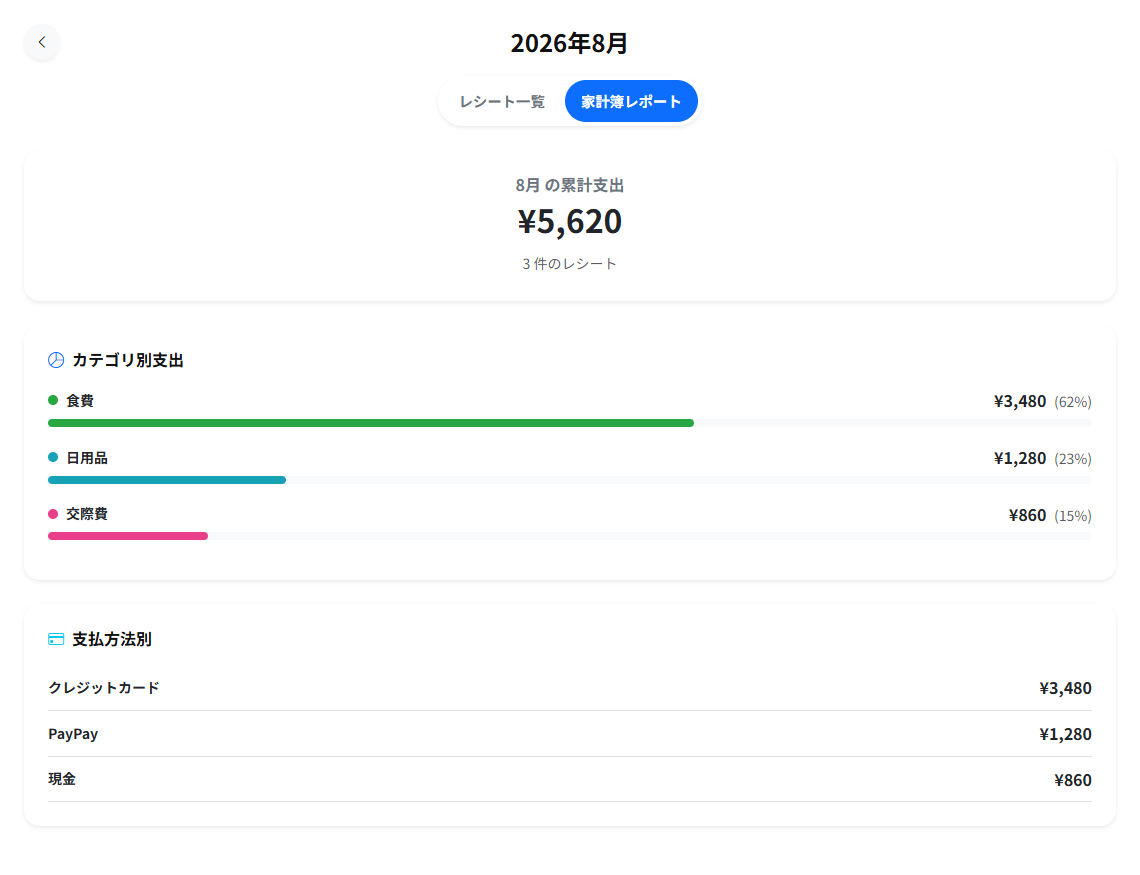
Where to look
- Food takes a large share — check the store names in your receipt list to see whether eating out and supermarket shopping are mixed together
- Household goods are higher than expected — compare a month when you stocked up with one when you didn't
- Social spending is growing — switch the report between months and compare with a typical month
Compare months
Switching the month at the top of the receipt list changes the report to that month. Comparing the same category over several months shows whether it is really growing or was just high once.
Keep categories right
Receipts left as "Uncategorized" don't show up correctly in the report. Open a receipt to choose its category. See Totaling Spending and Managing Categories and Labels.
Related articles
Published: 2026-04-15
Updated: 2026-10-19
Related articles
-
Totaling Spending and Managing Categories and LabelsThe difference between categories and labels; how to add, rename, hide and reorder categories; how to create and apply labels; and how they are totaled in the budget report.
-
Reviewing Your Spending (Changes and Trends)How to review a month's spending in the budget report: the change from last month, budget progress, and spending by category, by label, by day, over the last 6 months, and at your top stores.
-
Monthly ReportHow to open the monthly report, which sums up a month of spending, and what it shows: spending, budget result, income and savings, categories, the stores you used most, and an AI-written review.
-
User Help Index (E-Receipts, Budgeting, Coupons)The user help index for ReceiptRoller: receiving e-receipts, scanning paper receipts, importing bank and credit card statements, the budget report, coupons, store points, and favorite stores.
-
Budget and IncomeHow to set a monthly budget, budgets by category and by label, and your monthly income, and how to follow your progress in the budget report. The browser, the LINE mini app and the apps all use the same budget.