Product Category Management
Product categories are classifications used to organize and search for products. Rather than having a dedicated category master screen, ReceiptRoller lets you enter each product's classification directly in the category field on the product registration/editing form.
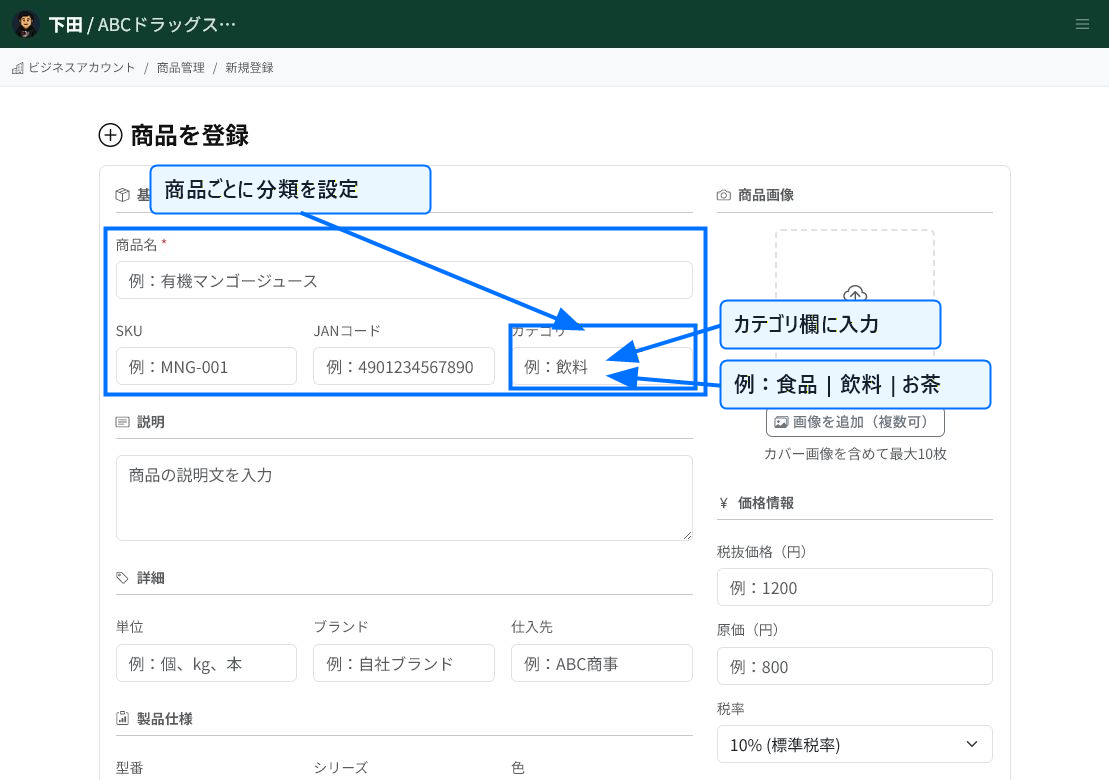
Set the Category on the Product Form
Enter a classification name in the "Category" field on the product registration or editing screen. You can express not just a single category but a hierarchy by separating levels with a pipe character (|).
For example, entering "Food | Beverages | Tea" makes it easy to manage the top-level category as Food, the mid-level as Beverages, and the sub-level as Tea.
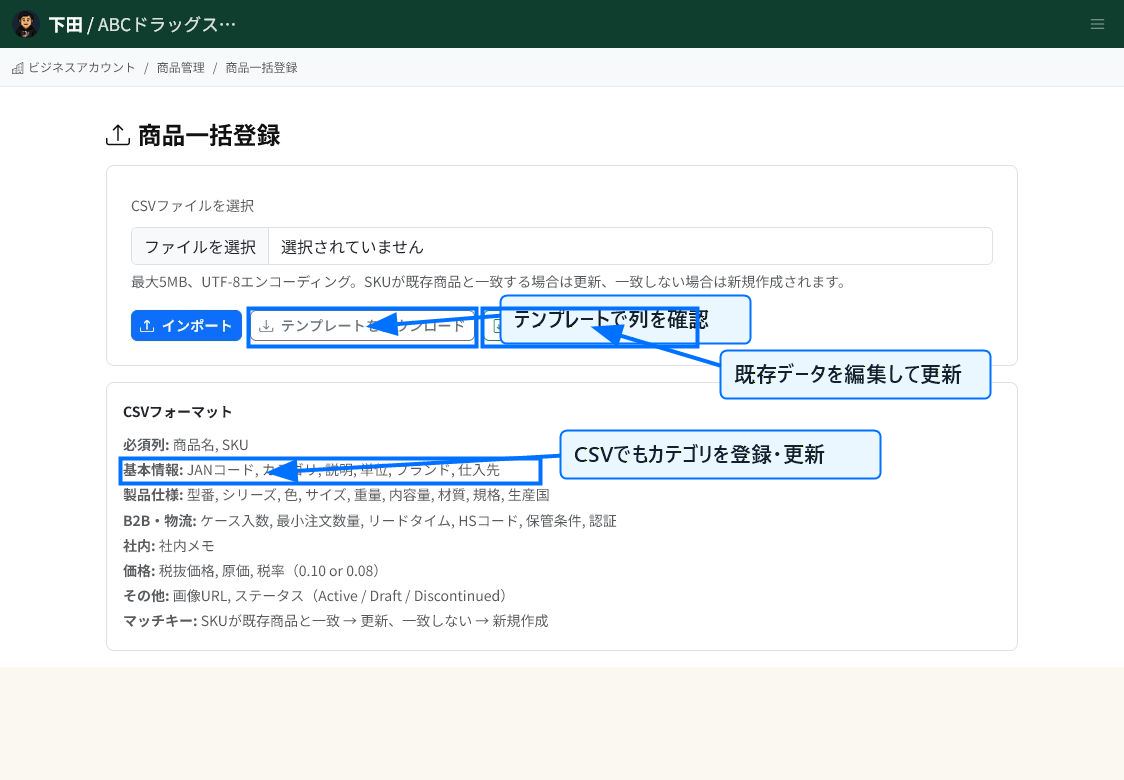
Update Categories in Bulk via CSV
To set categories for multiple products at once, use the bulk product registration CSV. The basic information section of the CSV format includes a "Category" column, which lets you register or update the category for each product.
To organize categories for existing products, export the existing data, edit the category column, and re-import it without changing the SKU.
Tips for Category Notation
Keep the notation consistent for categories with the same meaning. If the notation is split — for example "Beverages" versus "Drinks" — they will be treated as separate categories.
If you use hierarchical categories, agreeing on how to divide levels within your organization makes searching and aggregating easier. Avoid having too many top-level categories; it's best to group them into units that make products easy to find.
Using Categories
Registered categories can be used as a filtering axis for the product list, product search, and analysis. Deciding on category rules before your product count grows will save you cleanup effort later.
Related Articles
Registering Product Information / Updating Product Information / Bulk Upload of Product Data
-
Bulk Setting Cost Prices (CSV)Steps for updating cost prices for multiple products at once using a CSV file. Covers the template, the CostPrice column, ProductId/Name matching, preview, and warning checks, with screenshots.
-
What is Product Information Management (PIM)?An overview of ReceiptRoller's PIM (Product Information Management) feature. Explains centralized product data management, variations, search, and Square integration.
-
Updating Product InformationHow to edit and update registered products. Explains basic information, images, pricing, variations, store-specific pricing, and bulk CSV updates, with screenshots.
-
Registering Product InformationSteps for registering a new product. Explains basic information, pricing, specifications, B2B/logistics information, variations, and store-specific pricing, with screenshots.
-
Product Performance AnalysisHow to use product-level sales analysis. Explains date-range filtering, category/search/sorting, AI advice, ABC analysis, gross margin, and PIM integration, with screenshots.