Registering Product Information
Registering a product lets you use its information across digital receipt product details, sales analysis, POS integration, EC display, and more. Open the registration screen from product management, then enter basic information, images, price, and — as needed — specifications or store-specific pricing.
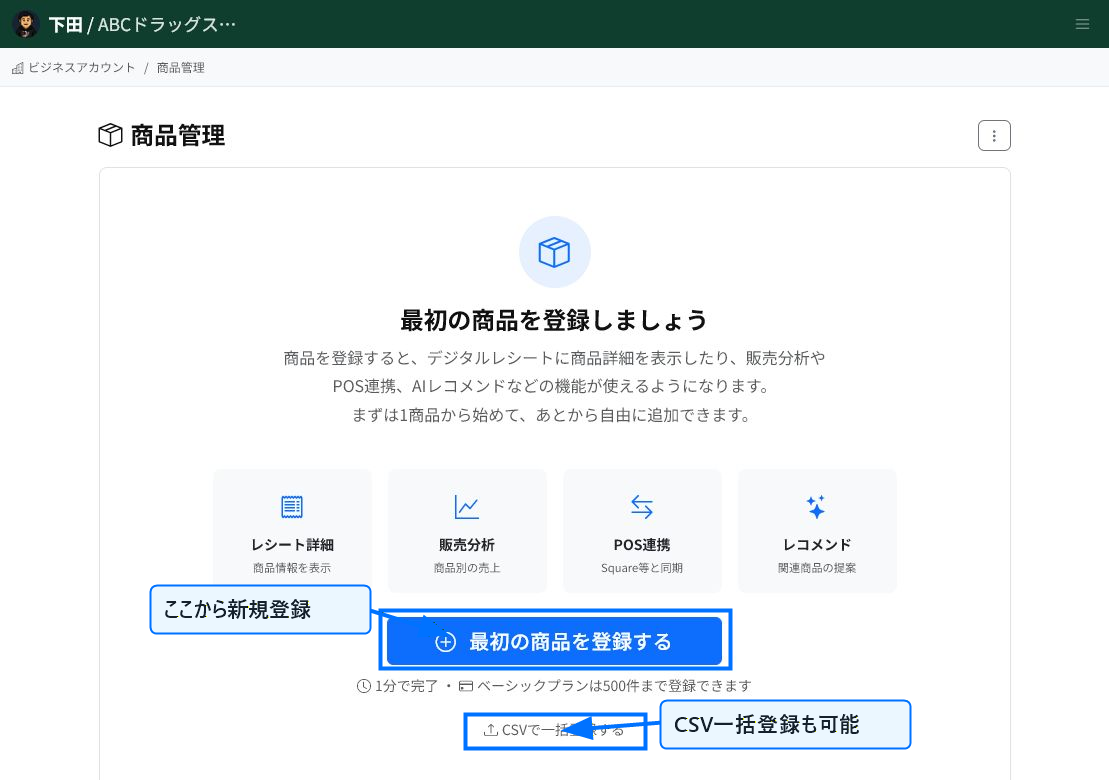
Start Registration from Product Management
Selecting "Register your first product" or "Add Product" on the product management screen opens the new registration form. If you have many products, you can also register them all at once from bulk CSV registration.
If registering one at a time, enter the product information following the fields on the screen.
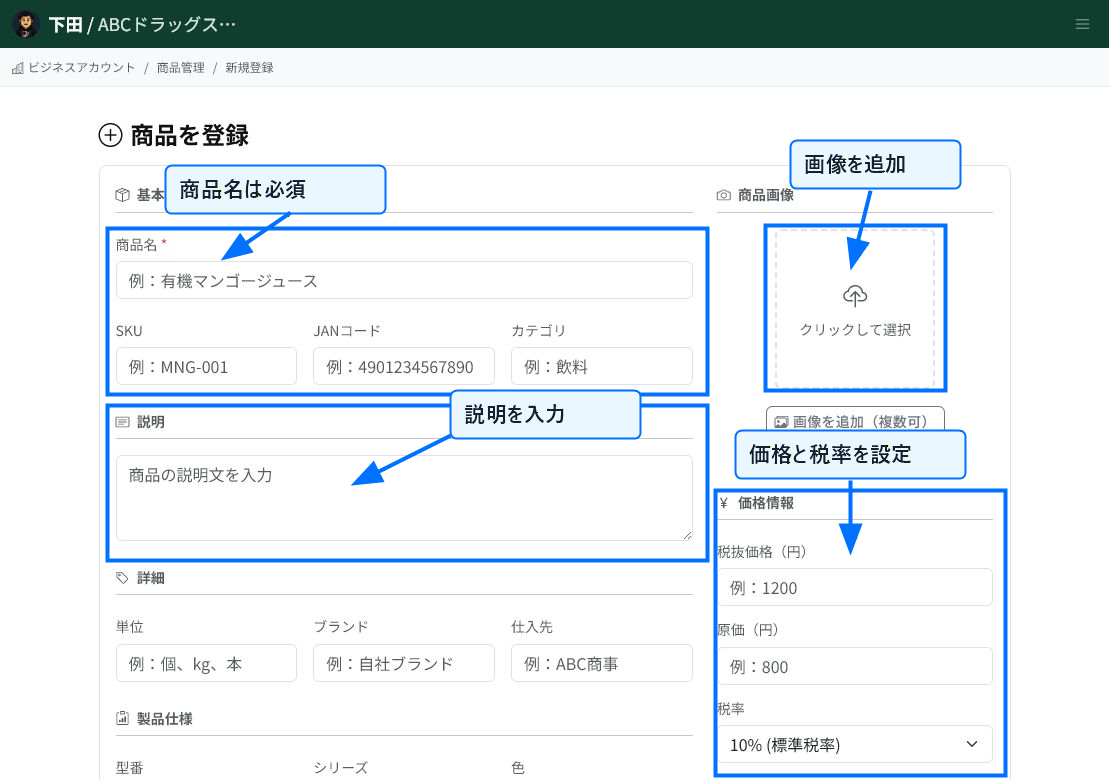
Enter Basic Information and Pricing
Product name is required. Entering SKU, JAN code, category, and description makes products easier to find later through search and analysis.
Adding a product image makes it easier to check the item's appearance in product details and EC listings. In the pricing section, set the tax-excluded price, cost, and tax rate.
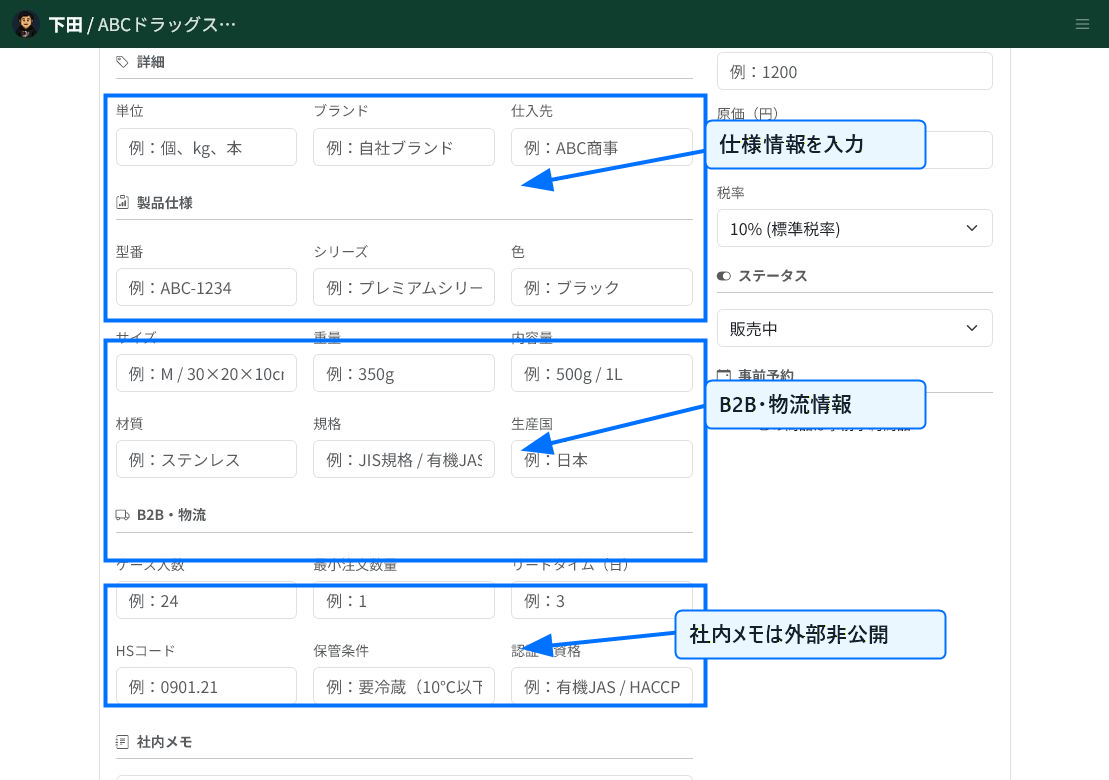
Add Any Necessary Detailed Information
You can enter specification details such as model number, series, color, size, weight, and material. For products used in B2B or logistics, it's convenient to also register case quantity, minimum order quantity, lead time, HS code, and storage conditions.
Internal memos are not shared externally. Use them to leave administrator-facing information such as notes for purchasing or operational reminders.
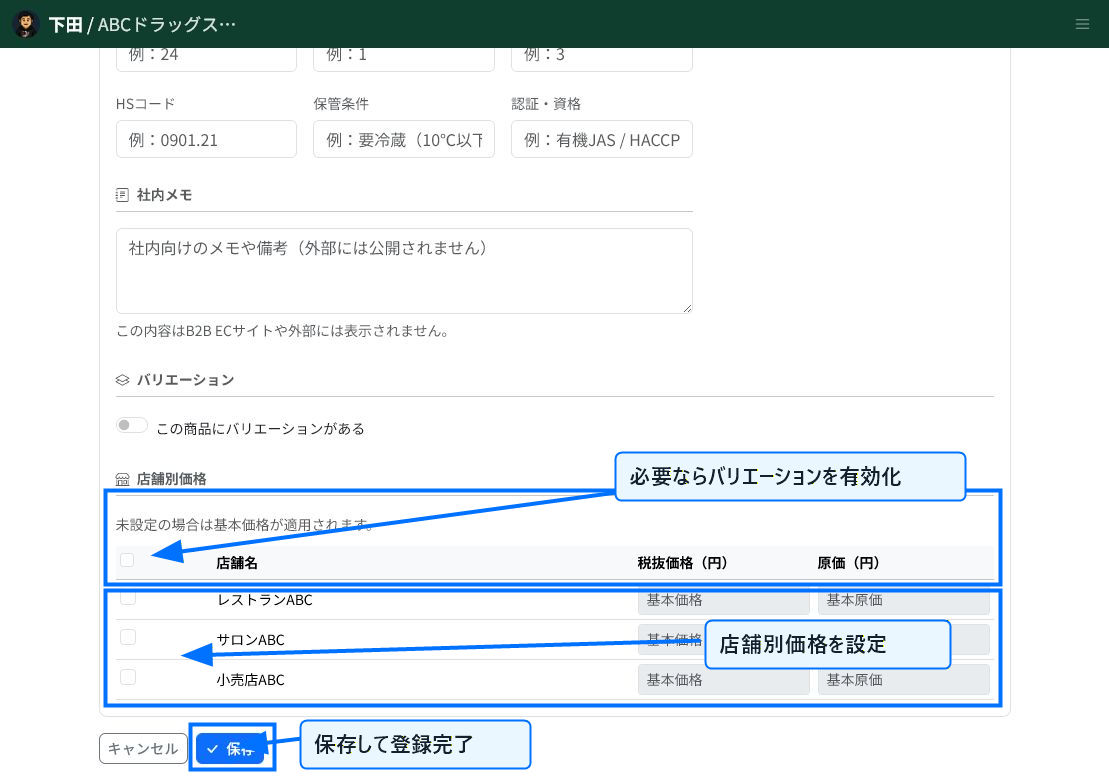
Set Variations and Store-Specific Pricing
For products with differences such as size or color, enable variations and register information for each one individually. To set different prices per store, configure store-specific pricing.
After confirming your entries, select "Save" to complete product registration. You can also change the content afterward from the product detail or editing screen.
Tips for Registration
SKU is used to identify products during CSV updates and external integrations. If you already manage SKUs internally, we recommend entering them at registration time.
Price and tax rate affect receipt display and analysis. Before saving, verify the tax-excluded price, cost, and tax rate are correct.
Related Articles
-
Bulk Setting Cost Prices (CSV)Steps for updating cost prices for multiple products at once using a CSV file. Covers the template, the CostPrice column, ProductId/Name matching, preview, and warning checks, with screenshots.
-
What is Product Information Management (PIM)?An overview of ReceiptRoller's PIM (Product Information Management) feature. Explains centralized product data management, variations, search, and Square integration.
-
Updating Product InformationHow to edit and update registered products. Explains basic information, images, pricing, variations, store-specific pricing, and bulk CSV updates, with screenshots.
-
Product Category ManagementHow to set up product categories. Explains the category field on the product form, hierarchical notation (Food | Beverages | Tea), bulk CSV updates, and naming conventions, with screenshots.
-
Product Performance AnalysisHow to use product-level sales analysis. Explains date-range filtering, category/search/sorting, AI advice, ABC analysis, gross margin, and PIM integration, with screenshots.