Product Performance Analysis
Product Performance Analysis lets you check sales, units sold, share of total, and ABC classification for each product. By filtering by date range or category and sorting by sales amount, units sold, or gross profit, you can identify your key products and candidates for review.
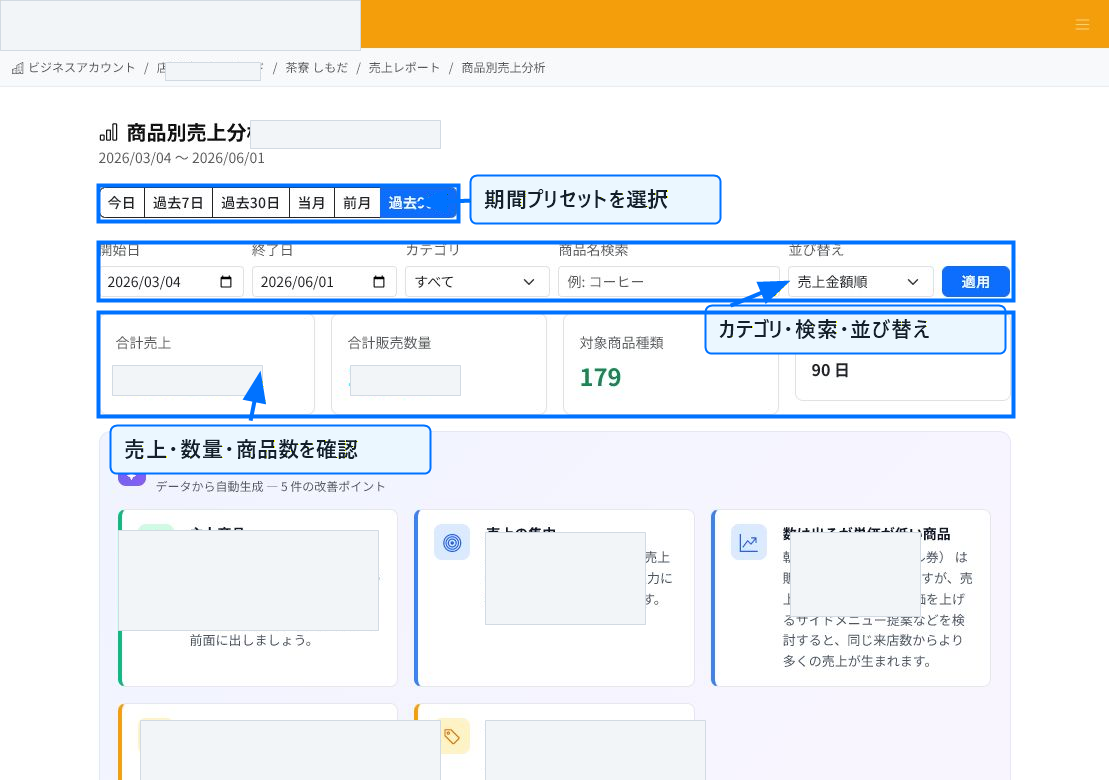
Specify a Date Range and Conditions
You can select preset date ranges such as today, the past 7 days, the past 30 days, this month, last month, or the past 90 days. You can also specify a start and end date directly if needed.
Using category, product name search, and sorting, you can narrow the analysis to the product group you want to view. The summary cards at the top show total sales, units sold, the number of product types covered, and the selected date range.
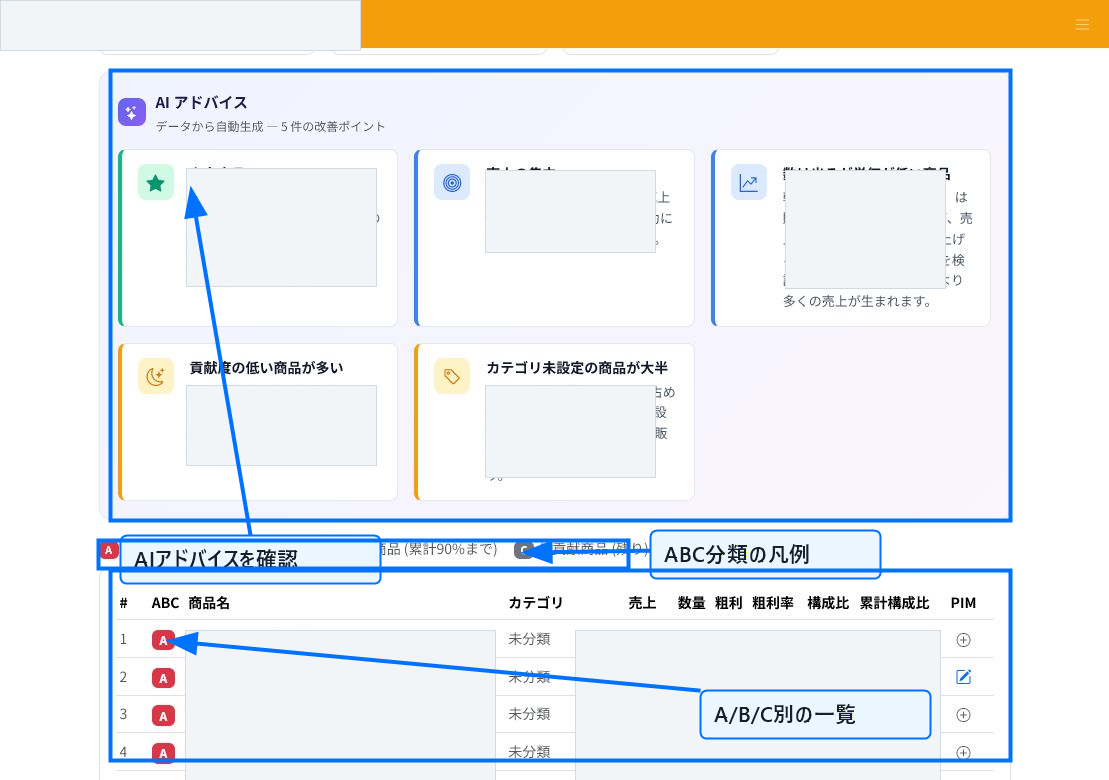
Check AI Advice and ABC Classification
When data is available, AI advice is shown at the top of the screen. You can see improvement points such as key products, sales concentration, high-volume/low-price items, and products without a category assigned.
ABC classification sorts products into rank A (up to a cumulative 70% of sales), rank B (up to 90%), and rank C (the remainder). Separating key products from lower-contributing ones makes it easier to prioritize purchasing and promotions.
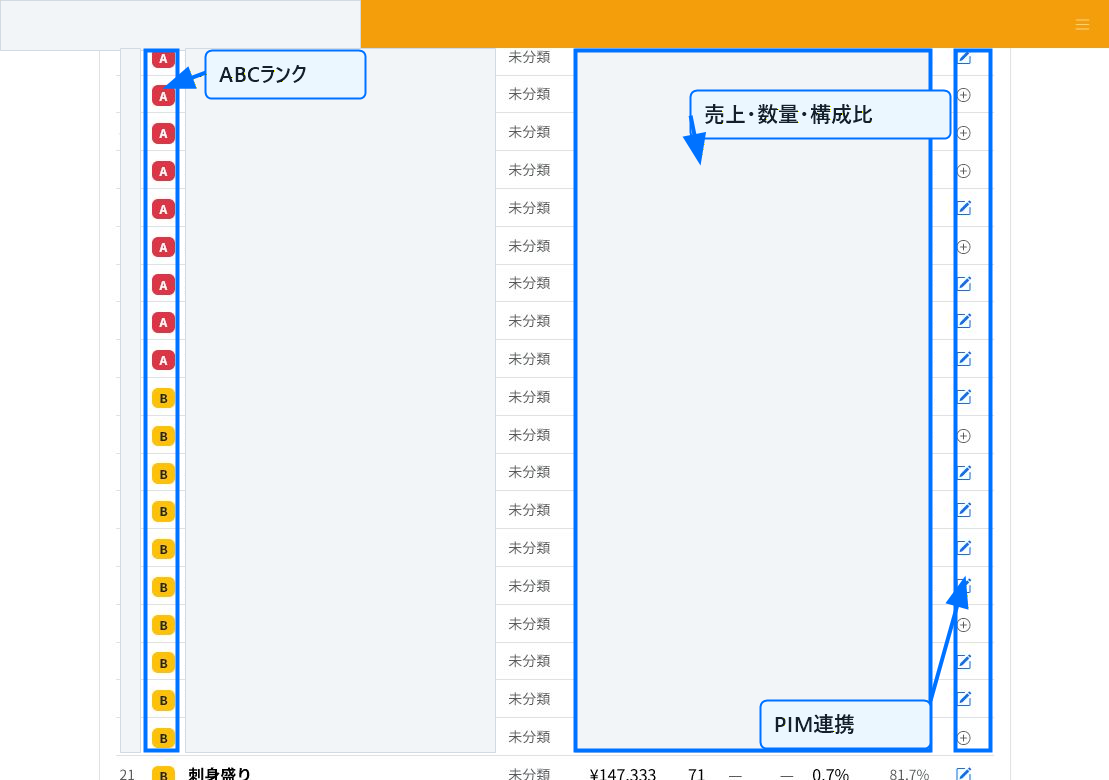
Check the Per-Product List
The list shows ABC rank, product name, category, sales, units sold, gross profit, gross margin, share of total, and cumulative share. For products without a registered cost, gross profit and gross margin may not be shown.
Go to the product information page from the PIM column and fill in missing information such as category or cost to improve analysis accuracy going forward.
Using the Analysis
Rank A products have a large impact on sales, making them priority candidates for stockout prevention and stronger promotion. For rank B products, which have growth potential, review shelf placement or bundle offers. For rank C products, consider replacement, decluttering, or improving how they're sold.
If many products lack a category, register product categories. Once categories are in place, it becomes easier to read sales trends and improvement points by category.
Related Articles
Product Category Management / Bulk Cost Settings (CSV) / Updating Product Information
-
Bulk Setting Cost Prices (CSV)Steps for updating cost prices for multiple products at once using a CSV file. Covers the template, the CostPrice column, ProductId/Name matching, preview, and warning checks, with screenshots.
-
What is Product Information Management (PIM)?An overview of ReceiptRoller's PIM (Product Information Management) feature. Explains centralized product data management, variations, search, and Square integration.
-
Updating Product InformationHow to edit and update registered products. Explains basic information, images, pricing, variations, store-specific pricing, and bulk CSV updates, with screenshots.
-
Registering Product InformationSteps for registering a new product. Explains basic information, pricing, specifications, B2B/logistics information, variations, and store-specific pricing, with screenshots.
-
Product Category ManagementHow to set up product categories. Explains the category field on the product form, hierarchical notation (Food | Beverages | Tea), bulk CSV updates, and naming conventions, with screenshots.